
Features / Nutrition AI
Nutrition AI
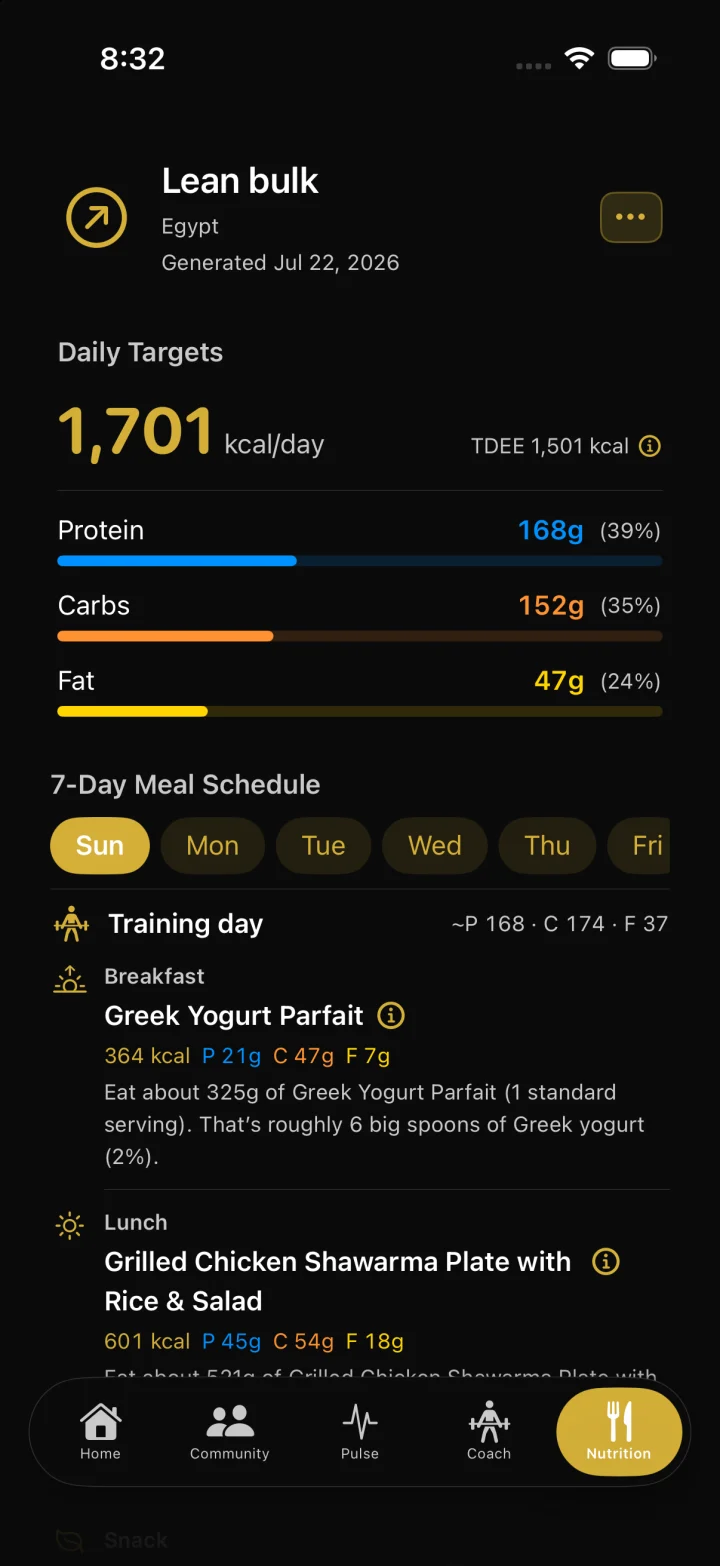
Run a short onboarding flow for goals, diet filters, training week, and body metrics, then save a 7-day meal schedule scaled to your calorie target. Chat with zRep AI afterward to swap meals you will actually eat—planning software, not medical advice.
How it works
From Profile → Nutrition, complete onboarding: goal, dietary filters, training days, about you (including country for cuisine), optional supplements, then preview targets.
Save a plan. zRep estimates TDEE (Watch average when available, otherwise body-fat or Mifflin–St Jeor), builds daily slots from a meal catalog filtered by country and diet tags, and scales portions to the calorie target.
Browse days 1–7 with macro summaries and ingredients. Use My Meals for custom meals you own—never written into the global catalog.
Open Chat with zRep AI (Adjust with AI) to swap slots, regenerate meals, or draft custom meals. Review proposals, confirm to apply, or dismiss to leave the plan unchanged.
FAQ
Is this a food diary or barcode scanner?
No. Nutrition is planning and structure tied to your account—not full food logging, photo logging, or barcode scanning.
What does Nutrition AI change?
After a classic plan is saved, chat proposes slot swaps and regenerations from an allow-listed catalog (and My Meals). Calories stay owned by the calculation engine; confirmed edits rescale days so food calories hit the daily target.
Where is Nutrition in the app?
Badges is a main tab. Nutrition lives under Profile beside Dashboard and Records.
Is this medical or dietetic advice?
No. zRep Nutrition is planning software for lifters. It is not therapy, diagnosis, or disease treatment. Consult a qualified professional for medical or clinical nutrition needs.