
Features / Apple Health
Apple Health
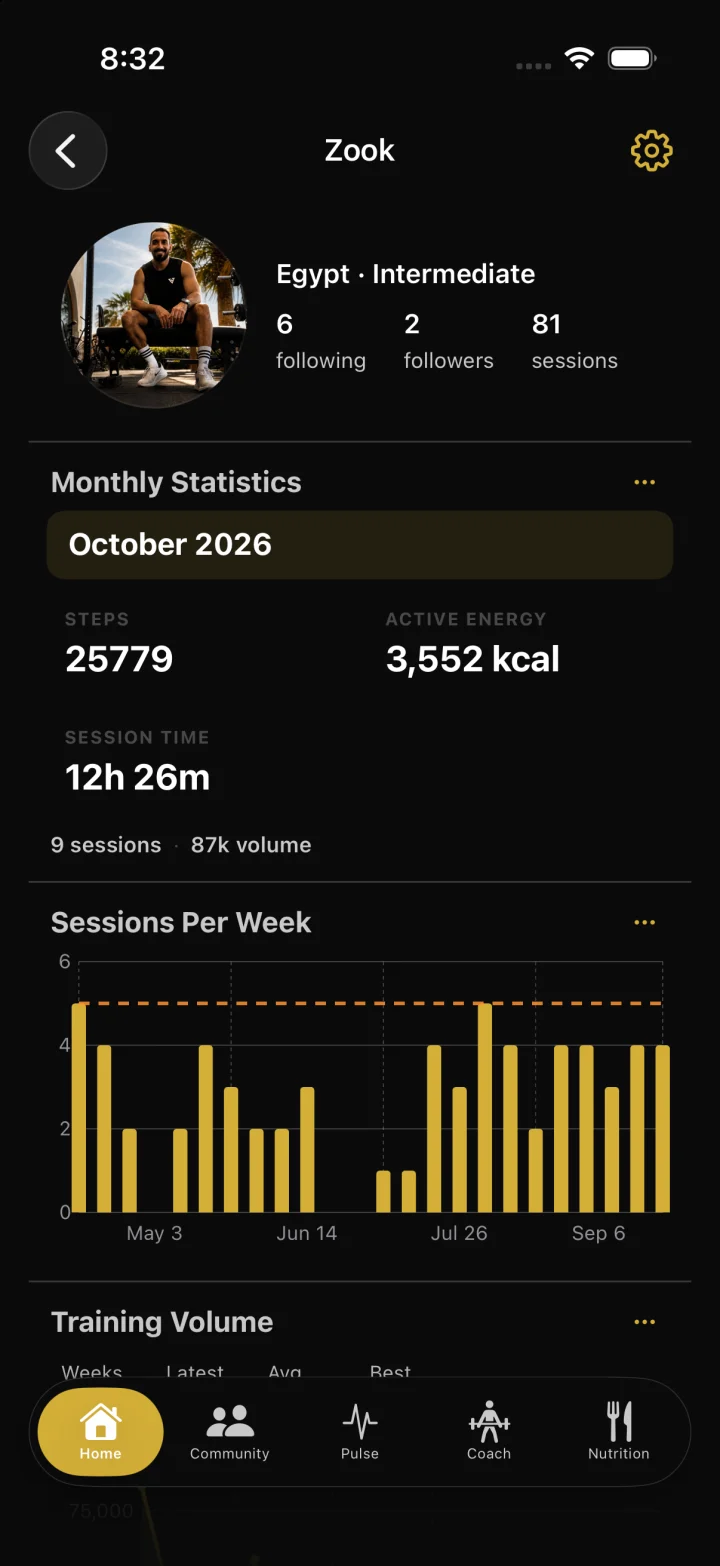
Connect health data only when you choose. With permission, zRep can write finished strength workouts to Apple Health and read supported metrics like heart rate, active energy, steps, and walking distance for richer summaries.
How it works
Open zRep Settings and find Apple Health / Health access controls (also manageable in iOS Settings → Health → Data Access).
Grant only the permissions you’re comfortable with—write workouts and/or read supported metrics.
Finish strength sessions in zRep so eligible workouts can be written to Apple Health when write access is on.
Review session summaries and profile activity that use Health-backed metrics when read access is available.
FAQ
Is Apple Health required?
No. It’s optional. zRep works fully for logging without Health permissions.
What can zRep write?
Finished strength workouts, when you grant write permission.
What can zRep read?
Supported samples such as heart rate, blood oxygen, active energy, step count, and walking/running distance—only if you allow them.
Why might Health data be missing?
Permission not granted, data not recorded, Watch/device not worn or connected, or Health returned no samples for that time range.