Features / Coach AI
Coach AI
Build a coach plan around your goal—build muscle, get stronger, lose fat, and more—then chat with zRep AI to adjust for the equipment you have and swap exercises you can actually do. Coach is a training assistant, not medical advice.
How it works
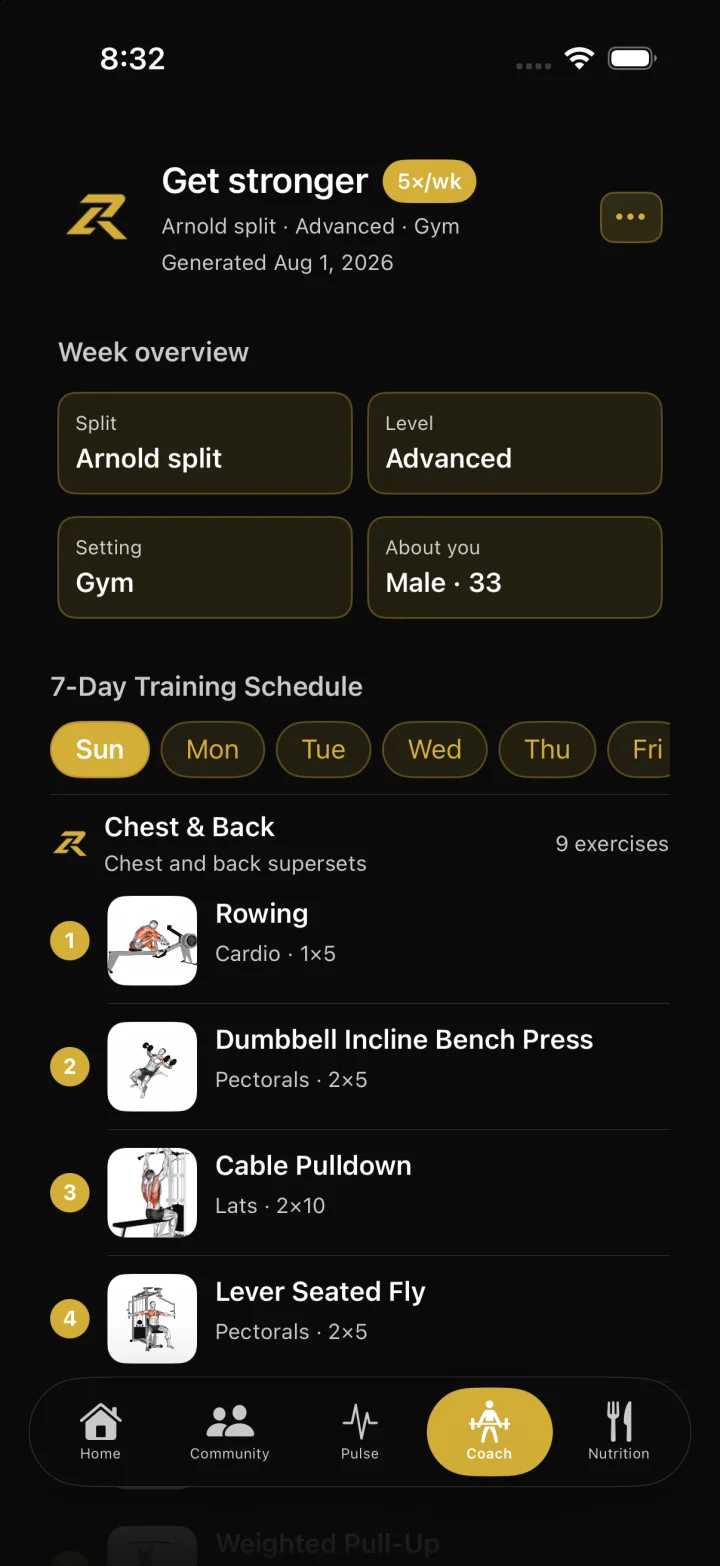
Open the Coach tab and run onboarding: goal, experience, split (full body, upper/lower, push/pull, PPL, and more), training days, and about-you details.
Preview and save a weekly plan synced to your account. Start a training day from the plan, save it as a template, or recalculate when your schedule changes.
Tap Chat with zRep AI to adjust the plan—swap lifts for your equipment, map templates across weekdays, or ask about home, cardio, mobility, and similar intents.
Review proposed changes, then confirm before they apply. Dismiss leaves the plan unchanged. Pair Coach with Nutrition in the same app when you want training and fueling together.
FAQ
Is Coach free?
Yes while zRep ships AI coach unlocked for everyone—no subscription required for the core coach experience. Storefront and in-app availability match that unlock.
What can Chat with zRep AI change?
It proposes exercise and schedule adjustments based on your plan, equipment, session history, and templates. You confirm before anything is saved; nothing auto-writes without you.
Is this a personal trainer or medical advice?
No. Coach is software assistance for planning and logging strength work. It is not medical advice, diagnosis, or a substitute for a qualified coach or clinician.